
The intelligent operations manual

Map your process once. Everyone knows how.

Turn your SOPs into a process map and a step-by-step manual for every role.

✓Role-based access✓Microsoft sign-in✓Every version on record

How2MapItOrder fulfilmentv13 · published
OperationalStartSales

Receive order

When
Customer places an order
How
Open the order intake form…
Why
Order captured in system
Stock available
OperationalWarehouse

Pick & pack

When
Stock availability confirmed
How
Instructions missing

Why process documentation fails

Writing it down was never the hard part.

A clean procedure takes an afternoon. The hard part is knowing it’s followed, and that people know when it changed.

Nobody knows who’s read itA procedure on a shared drive isn’t proof anyone follows it.
Old versions get lostWhich version applied in March, and who approved it?
No one signs off the final versionSomeone has to say: this is the one we follow now.

Turn SOPs into process maps

Start from whatever you have

A document, a description, a name or a blank canvas.

Upload a documentDescribe the processSuggest from a promptStart on a blank canvas
Process mapping

Work instructions for every activity

An activity nobody can follow isn’t a process.

Every activity answers four questions.

Who, when, how and why
Four questions
WHO
is responsible: a role or a team, never a person’s name
WHEN
triggers it: the event that starts this activity
HOW
it is done: the work instruction someone follows
WHY
it exists: the outcome that proves it worked
An activity
OperationalActivity 2 of 2

Pick & pack

WHO
Warehouse
WHEN
Stock availability confirmed
HOW
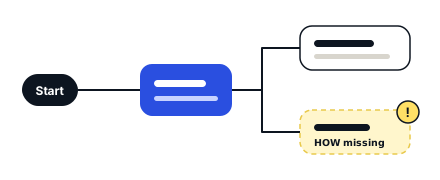
Instructions missing Unfinished
WHY
Orders ship to the right address, first time
Three kinds
OperationalThe work itself: who does it, when and how.
ComplianceThe rules and checks this activity must meet.
ImprovementIdeas and fixes people have raised for this activity.

AI

AI that drafts, checks and answers from your processes.

Connect the AI assistant your team uses, and the assistant works from your processes too.

Build from documents
You pick which processes to build.
Logic check
Every activity rated Clear, Needs work or Unclear.
AI apps
Read your processes and work on drafts. They can’t publish.
AI in How2MapIt
Your AI assistantConnected as you · one company
Connected
Reads
Request a new laptopPublished
Approve the request
Line manager
Approve a non-standard specification
IT Asset Manager
  • Sees only what you can see
  • Edits drafts, if you allow it
  • Can’t publish or delete
  • Can’t remove Not for AI apps activities
A pack of 3 template processesFrom your template workspace
  • Business Current Account Opening
  • Account Closure and Final Settlement
  • Debit Card Issue and Replacement
Each process bringsSub-processesRisksControlsRulesFiles
Client A3 drafts
Client B3 drafts
Client C3 drafts

Each client reviews its drafts. Nothing is published until they say so.

For consultants and partners

Build it once. Apply it to every client.

Group your template processes into packs and apply a pack to each client as drafts. The client keeps control of your access.

For consultants

Version control and read confirmations

Manuals go out of date. This one shows you where.

Documents fall behind quietly: the work moves and the document doesn’t.
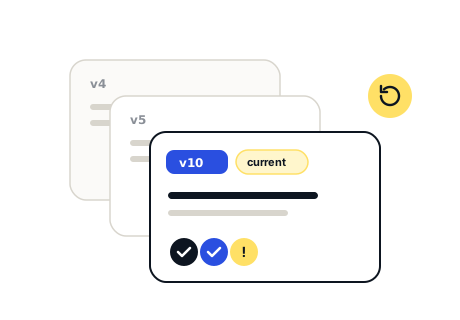
Versions with read confirmations

Ask these about your documents today

01

When an activity changed, how did people find out?

02

Who has read the current version, not just received it?

03

What was the process in March?

Pick & packWarehouseHOWInstructions missing
On the author’s to-do list

Gaps are visible, not silent

Unfinished activities show on the map and land on a to-do list.

↻
Business Current Account Opening 1 changedOpen the account and load the signing powersVersion 5 → 10

Changes reach the right people

Each reader sees which of their activities changed.

This is unclearOn: Open the account and load the signing powers
→ Sent to the team responsible

Your team can flag problems

Anyone can flag an activity, and the flag goes to the team responsible.

Compliance and audit evidence

Phone app

Your part of the work, in your pocket.

Your processes in the order you do them. Read, confirm and send feedback, even offline.

iPhoneAndroidWorks offline
Learn your work
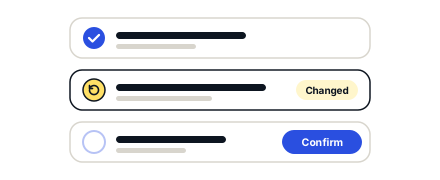
Changed since you confirmed itOpen the account and load the signing powersBusiness Current Account OpeningRead and confirm
To do 3Changed 1All 3
Business Current Account Opening0 of 1 confirmedChanged
Request a new laptop0 of 3 confirmed
In Account Closure and Final SettlementCommitments and Balances0 of 3 confirmed
Walkthrough · 30 minutes

Bring one messy SOP. Leave with a mapped process.